Your AI Agent's
Task Manager
Local-first task tracking with MCP integration. Your AI agent creates tasks, tracks time, and manages your projects while you focus on code.
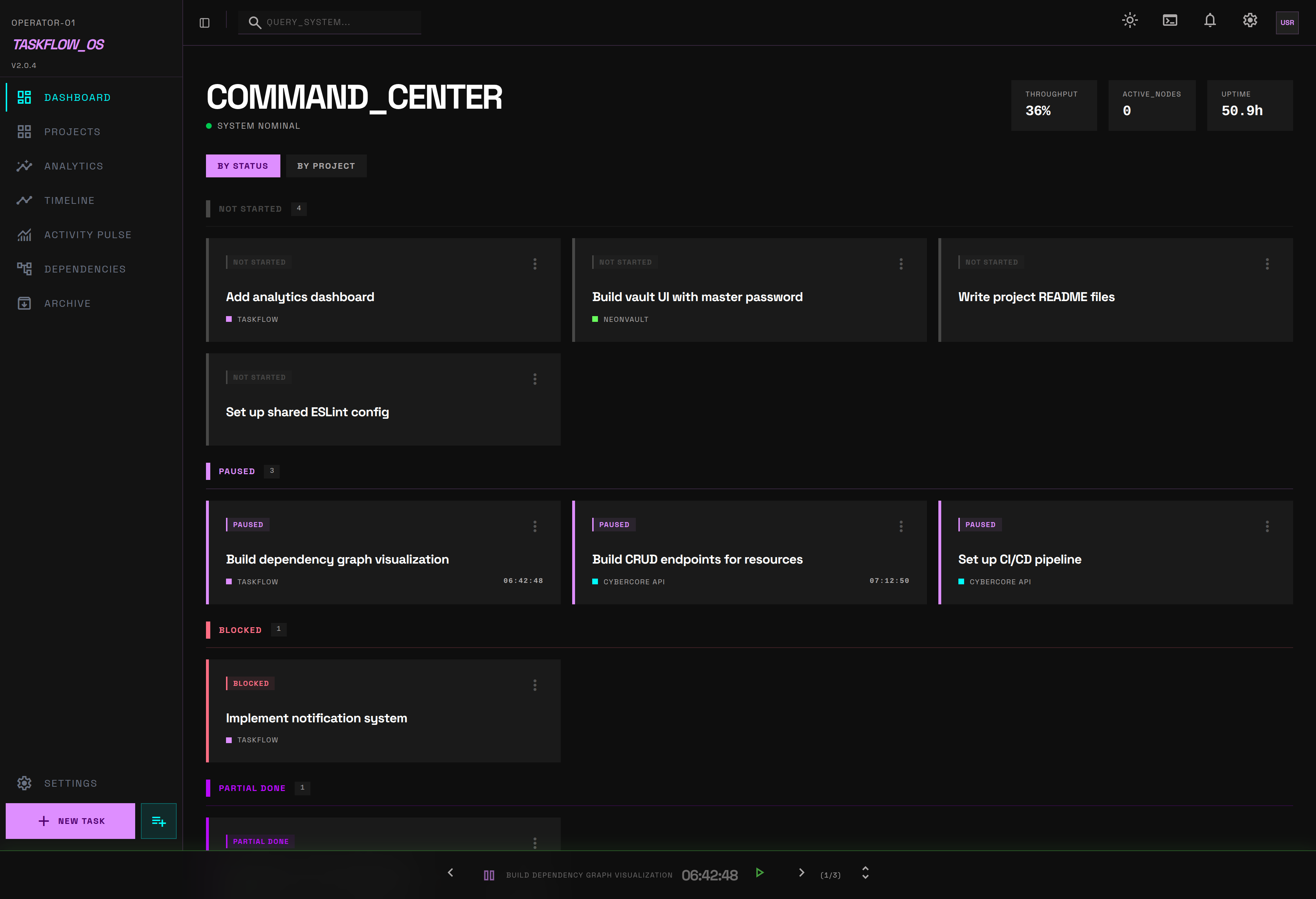
Using AI to code, but manually managing your board.
Your AI finishes a bug fix, but you still have to open Jira to update status. Context switching between terminal, editor, and browser kills flow state. Cloud-based trackers index all your private project details.
Autonomous task management via MCP.
Provide 50 tools to Claude/Codex/Cursor. The agent fixes a bug, creates a task, and marks it done. Zero context switching. You watch the board update via real-time SSE while you review code. 100% local SQLite database. Your data never leaves your machine.
See It Work
A Claude Code agent builds a feature from scratch. It creates tasks, tracks time, logs what it finds, and marks things done. Nobody touched the board.
What You Get
Tools for managing real software projects, built to work with AI agents through the Model Context Protocol.
50 MCP Tools for AI Agents
One install command. Your AI gets tools for tasks, projects, timers, and analytics. It creates tasks, logs what it finds, and marks work done on its own.
"taskflow": {
"command": "taskflow-mcp",
"args": []
}
}
Real-Time Live Sync
Agent writes to SQLite, SSE fires, Tauri app updates IndexedDB, UI re-renders. All instant.
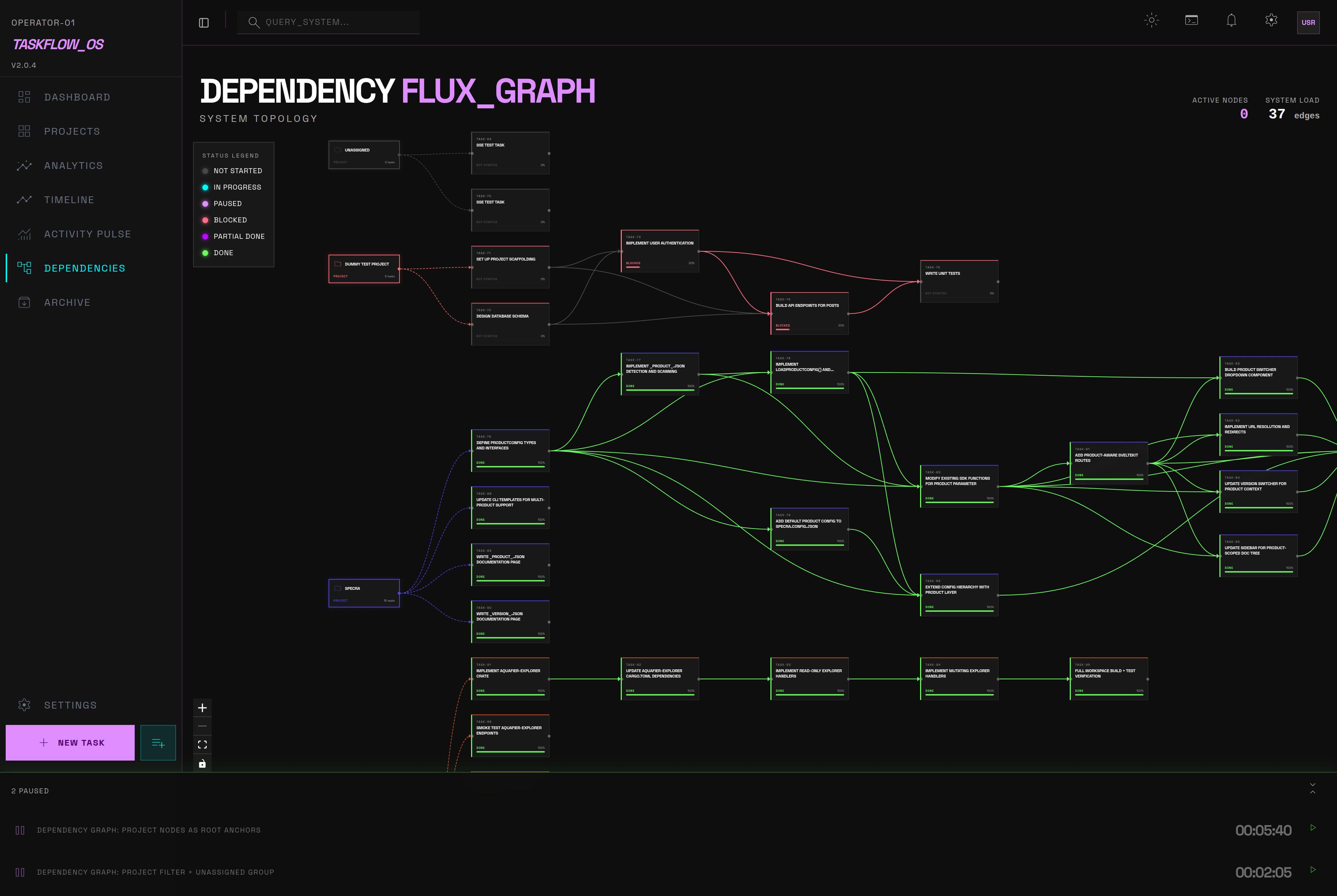
Visual Task Dependencies
Tasks have dependencies. Dependencies have a graph. Interactive DAG visualization with automatic cycle detection. Your AI agent can query the graph to understand blockers before starting work.
Concurrent Timers
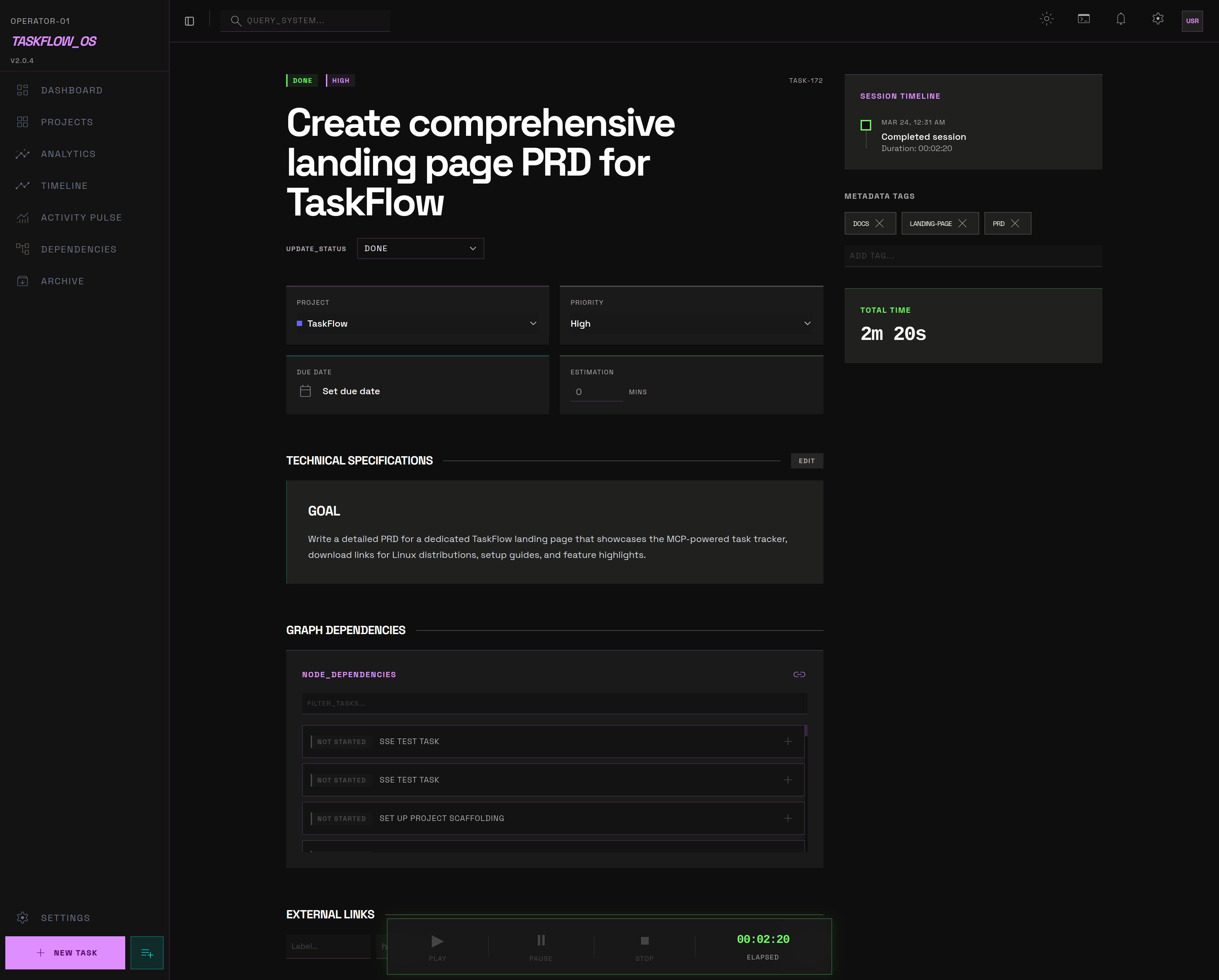
Track time across multiple tasks. Every session is logged with precise timestamps.
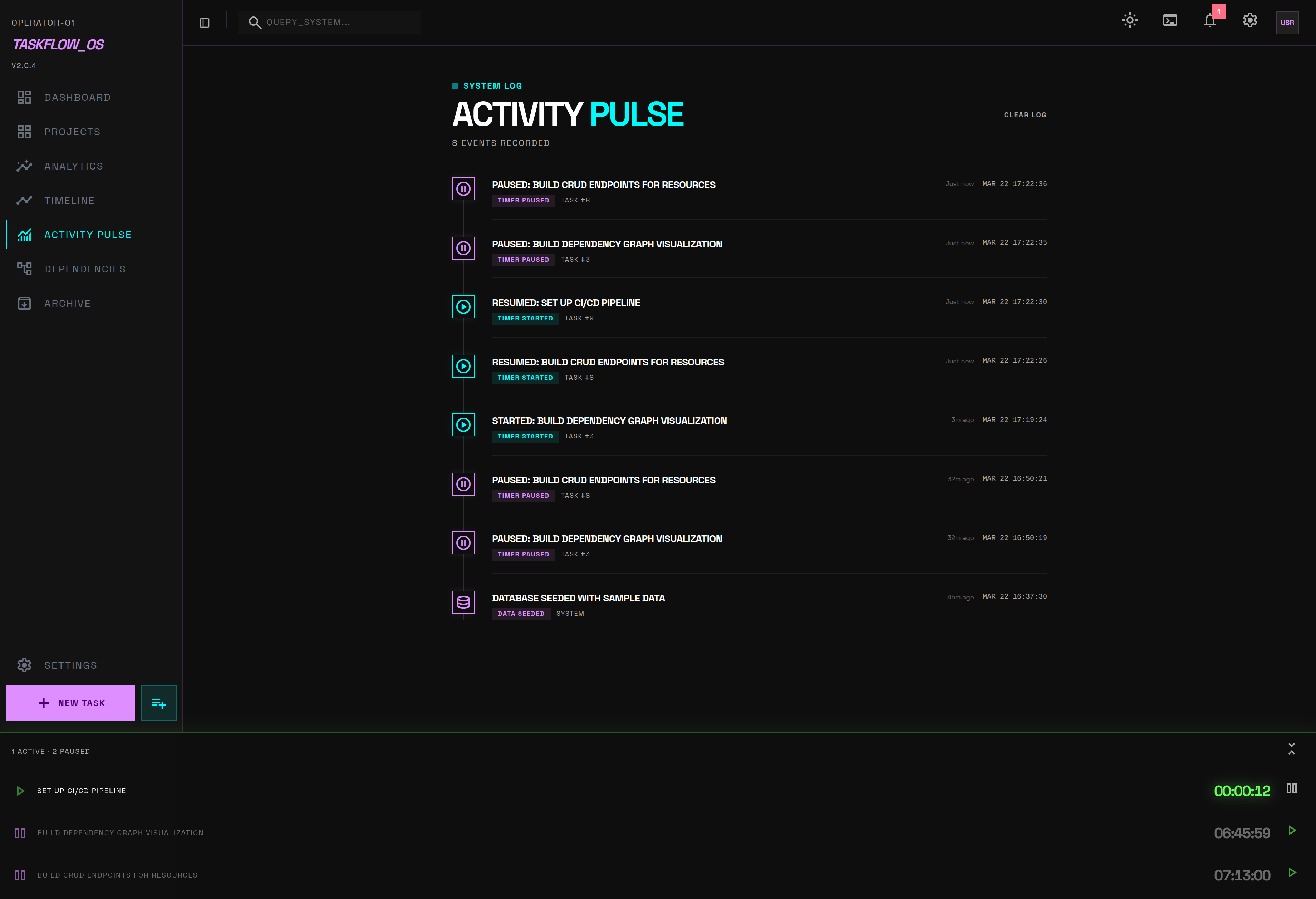
Activity Pulse
AI agents use log_debug to leave notes as they work. Hypotheses, errors, what they tried, what they found.
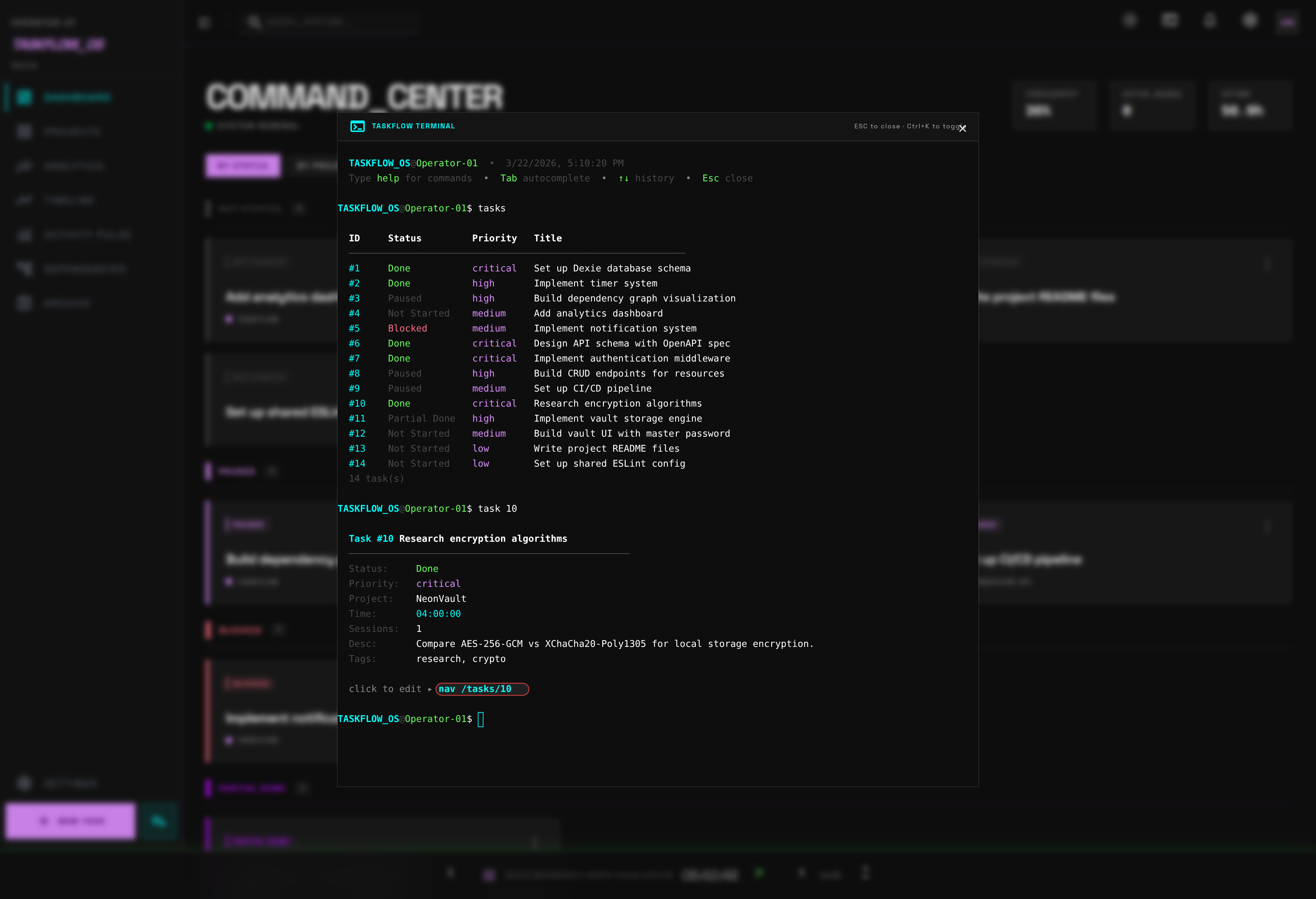
Built-in Terminal
Ctrl+K opens a full xterm.js terminal. Create tasks, navigate, and manage state without a mouse.
Created task #42
taskflow> timer start 42_
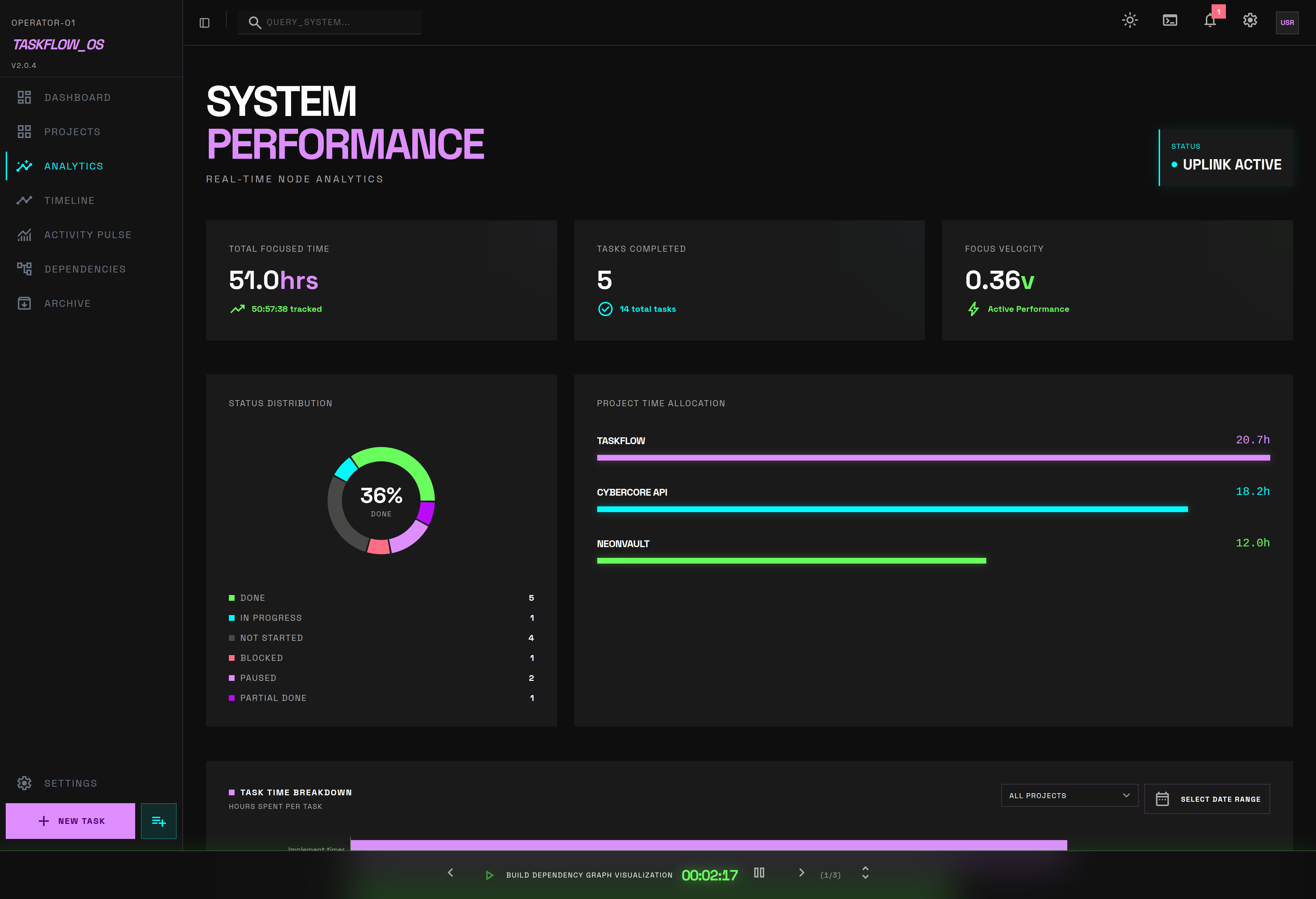
See It in Action
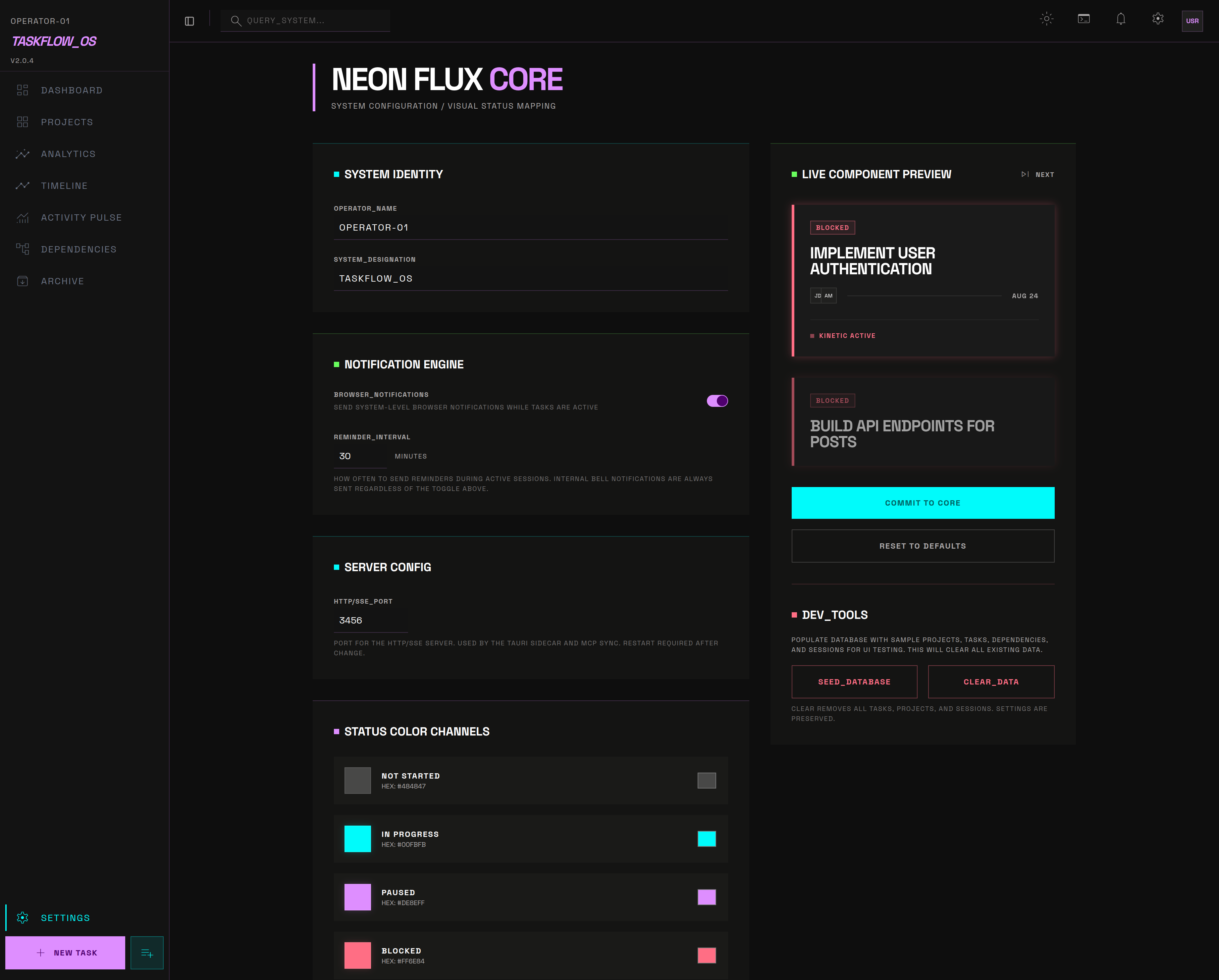
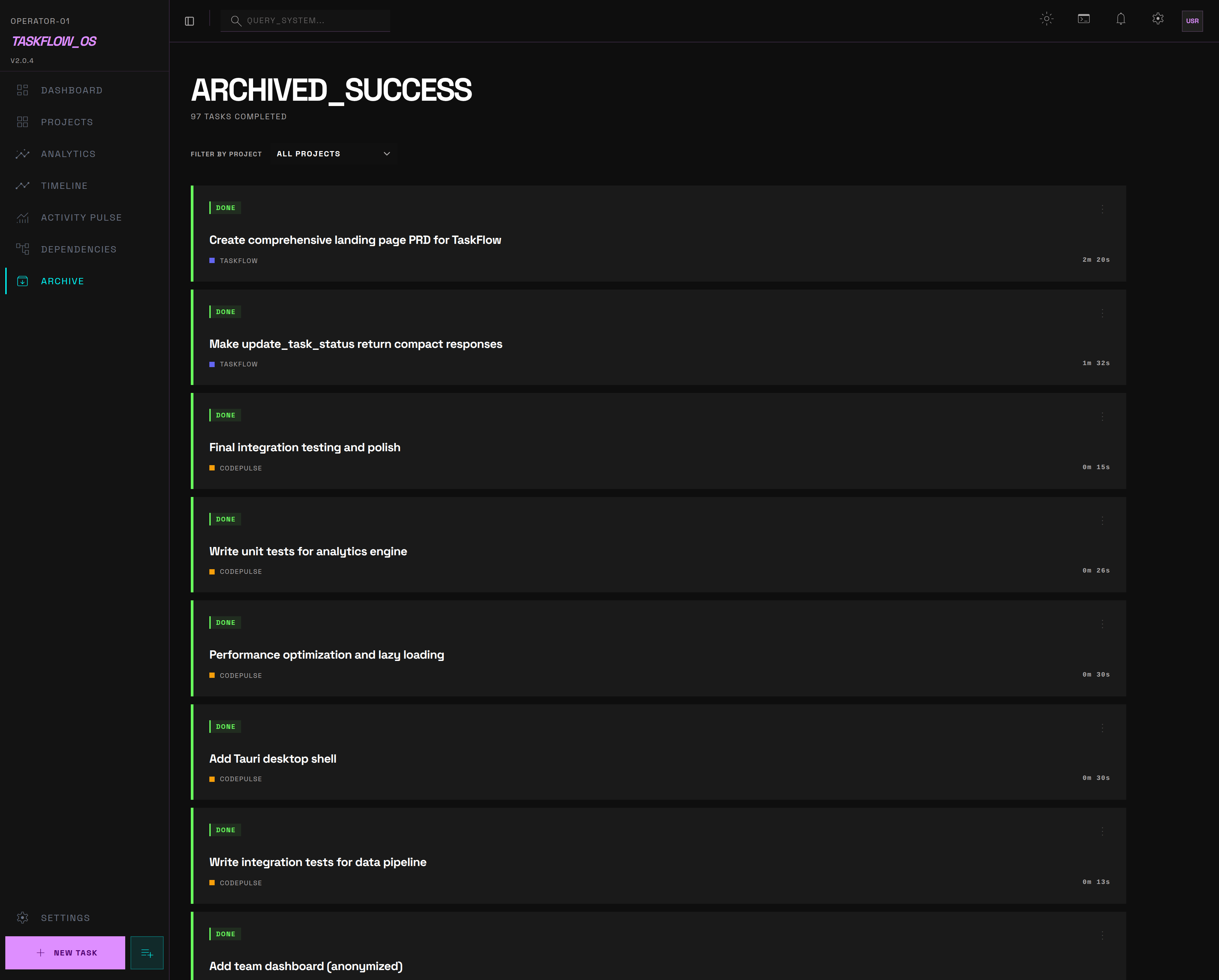
Real screenshots from the TaskFlow desktop app.

Get Started in 4 Steps
Quick setup for Claude Code. View setup guides for Codex, Cursor, Windsurf, and more →
Download TaskFlow Desktop
Choose your Linux distribution format (macOS/Windows planned):
Install the MCP Globally
Make the TaskFlow MCP server available to your system via npm.
npm install -g @dalmasonto/taskflow-mcp
Configure Your Agent
Create a .mcp.json file in your project root (or home directory for global access). Claude Code will auto-detect it.
"mcpServers": {
"taskflow": {
"command": "taskflow-mcp",
"args": []
}
}
}
// .claude/settings.local.json (per project)
{
"permissions": {
"allow": [
"mcp__taskflow__*"
]
}
}
The agent calls get_agent_instructions on startup and learns how to use TaskFlow on its own. Setup guides for Codex, Cursor, Windsurf & more →
Enable Live Agent Chat with tmux
Run Claude Code inside a tmux session so agents can receive your responses in real-time from the TaskFlow UI.
tmux new -s agent
claude
ask_user and the question shows up in the Agent InboxLocal-First Architecture
Designed for privacy and speed. No cloud sync, no accounts. Just an SQLite file and an SSE broadcast.
Small Token Footprint
MCP responses are kept compact. Null fields are dropped and JSON is minimal, so your AI has more context window for actual work.
Remote Agent Control
Control your agents from anywhere. A small relay server sits between your machine and remote clients. All connections are outbound, no VPN needed.
Polls commands ← Event buffer + command queue ← SSE stream + state
Posts commands →
Open Source. Fork It. Ship It.
TaskFlow is open source under Apache 2.0 with Commons Clause. Free to use, modify, and share.